Watchdog app icon: a dog with round glasses Watchdog

See which Mac apps eat your Wi‑Fi data.

A free, open-source menu bar monitor. Everything stays on your Mac.

Made for hotspots, metered and slow connections, travel, and anyone with a data cap.

macOS 14 or later. MIT license.

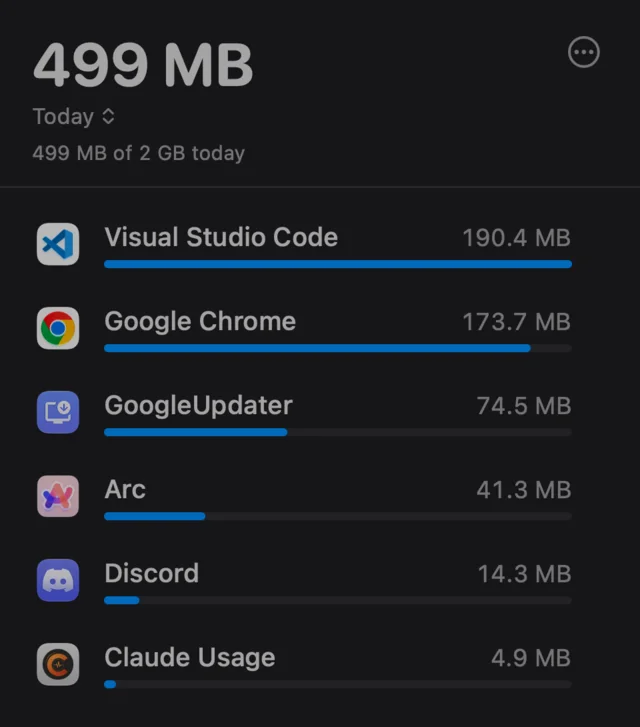
The Watchdog popover in the Today window: 499 MB of a 2 GB daily limit used. Visual Studio Code 190.4 MB, Google Chrome 173.7 MB, GoogleUpdater 74.5 MB, Arc 41.3 MB, Discord 14.3 MB, Claude Usage 4.9 MB.

Every app, every second

Click the dog in the menu bar. Watchdog lists the apps that use your Wi-Fi, updated every second. Switch between Today, This week and This month.

Helper processes, like "Google Chrome Helper", are folded into their parent app, so the list reads the way you expect.
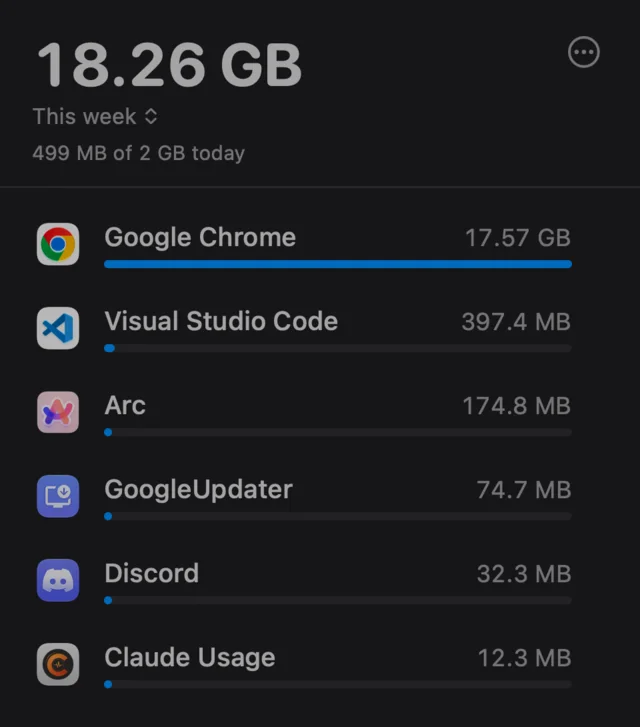
The This week window: 18.26 GB used this week. Google Chrome 17.57 GB leads, then Visual Studio Code 397.4 MB and Arc 174.8 MB.

Downloaded or uploaded

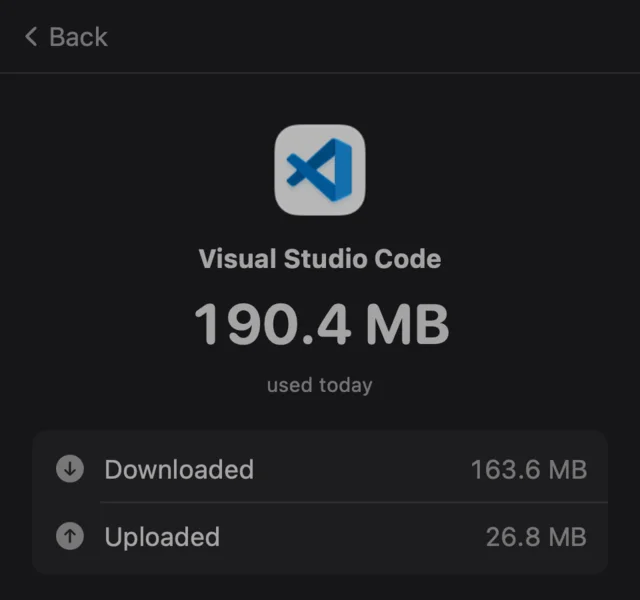
Click an app to see its download and upload split, plus the top remote hosts it talked to this session.

Detail view for Visual Studio Code: 190.4 MB used today, 163.6 MB downloaded and 26.8 MB uploaded

When it happened

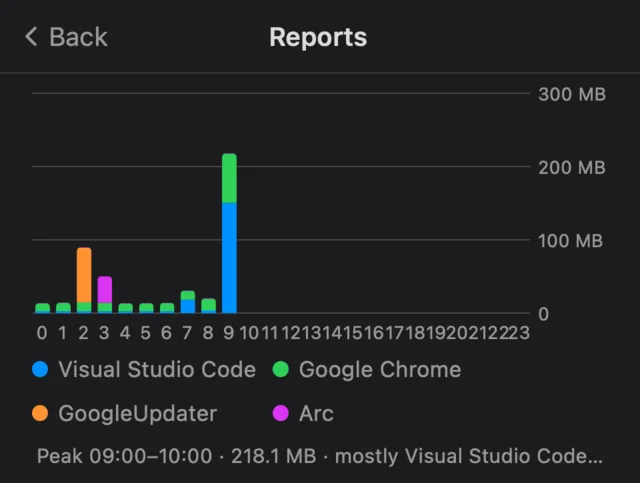
Reports show stacked bars per hour for today, or per day for this week, with a peak summary that names the app behind it.

History is kept for a year in hourly buckets.

Reports chart: stacked bars per hour for today. Peak 09:00 to 10:00, 218.1 MB, mostly Visual Studio Code.

A limit, and a nudge

Set an optional daily data limit. A progress line shows how close you are. Past the limit, a warning icon shows in the menu bar and you get one notification per day.

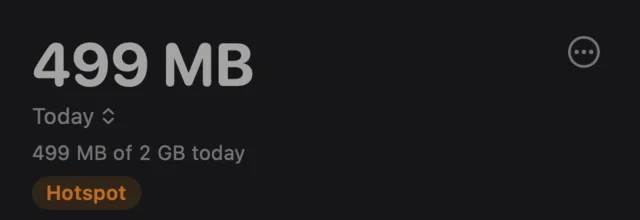
On a hotspot or in Low Data Mode, a badge tells you. When a hotspot connects, you get a notification.

Watchdog can start at login, so it is there when you need it.

Watchdog header with an orange Hotspot badge below the daily limit line

Your data stays on your Mac

All usage data is in one file:

~/Library/Application Support/Watchdog/usage.json

Good to know

Wi-Fi only
It counts Wi-Fi interfaces. Wired and VPN-only traffic is not counted.
Monitoring only
It shows usage. It does not block apps.
Approximate
Counts are sampled from nettop once a second, so they are close, not exact.
Internet traffic only
LAN, AirPlay and local traffic are excluded on purpose.
macOS 14 or later
Older versions are not supported.
Not on the Mac App Store
It runs outside the App Sandbox, which the App Store requires.

Build from source

There is no notarized download yet. You need Xcode 26 or later.

  1. Clone the repository.
    git clone https://github.com/MULUALEM-TEKLE/watchdog.git
  2. Open watchdog.xcodeproj, choose the watchdog scheme, then Product › Archive. Or build from the terminal:
    xcodebuild -configuration Release build
  3. Copy watchdog.app to /Applications.
View on GitHub